

The single most important audit trail practice for fixed-price work is this: require a written, signed change order for every scope change, and never start extra work without it. That document needs to state what changed, what it costs, and how it affects the timeline. Back it up with a weekly change register and contemporaneous records like emails and dated files, and the rest of this guide fills in exactly how.
TL;DR:
- Requiring a signed change order for every scope modification ensures clear documentation of work, cost, and timeline adjustments before starting additional tasks.
- Keeping contemporaneous records like emails, screenshots, and logs, and updating a change register weekly greatly reduces the risk of disputes over scope creep.
- Using tamper-evident PDFs, email-verified signatures, and a single storage location helps maintain an authentic audit trail that can withstand third-party review.
- Automating the documentation process with tools like Stria minimizes manual effort, improves consistency, and enforces standardized naming and reference IDs.
- Storing records for at least the length of the applicable statute of limitations and backing up archives in multiple secure locations protects against loss of evidence during disputes.
Table of Contents
- Audit Trail Best Practices Every Freelancer Should Use
- The Minimum Paper Trail You Need for Every Change
- The Seven-Step Workflow From Request to Closed Record
- Tamper-Evident Records: What to Look for in a Tool
- Compliance Standards Freelancers Can Borrow From Bigger Industries
- Build a Weekly Habit of Reviewing Your Own Records
- Where Automation Fits Into Your Record-Keeping
- How Long to Keep Records and Where to Store Them
- Team Stria Perspective: Change Orders Are Billing Hygiene
- Try Stria to Catch Scope Creep Before You Work for Free
- Sources
- FAQ
Audit Trail Best Practices Every Freelancer Should Use
Scope creep rarely arrives as a dramatic confrontation. It shows up as "quick favor" emails and Slack messages that quietly pile up until you've done two weeks of unpaid work. The fix isn't more willpower. It's a system that catches every request the moment it lands and forces a decision before you touch the keyboard.
Here's the checklist, in order of how much protection each step buys you.
- State the three required elements in every change order. The construction industry has been refining this for decades, and the AIA's standard for change orders requires exactly three things: the change in work, the adjustment to cost, and the adjustment to timeline. If your change order is missing any of these, it's not a change order. It's a note to self.
- Get approval in writing before you start. A signed email, an e-signature, or a client's "yes, go ahead" typed in a reply thread all count. A verbal "sure, sounds good" on a call does not.
- Keep contemporaneous records as you go. Emails, meeting notes, dated screenshots, delivery receipts. These don't need to be fancy, but they need timestamps.
- Update your change register at least weekly. This is the same discipline the AIA recommends for construction projects, and it works just as well for a two-person design studio.
- Attach your valuation backup to every change order. Show the line items. Show the rate you charged. A number with no math behind it invites arguments.
- Version your scope documents and assign a reference ID to every change. One ID per change, used consistently across the email thread, the invoice, and the register.
- Treat verbal approval as a prompt, not a green light. If a client okays something on a call, your next move is a follow-up email confirming it in writing, sent within the hour.
- Export signed change orders as timestamped PDFs. Store them somewhere that doesn't change once they're saved.
- Use consistent naming and date formats. A stranger should be able to open your folder and understand what happened without asking you.
- Pick one location for everything. A single cloud folder or a dedicated tool. Scattered records are the same as no records when a dispute actually happens.
Pro Tip: Write your justification line in plain, boring language: "Client requested added blog page beyond the 5-page site scope." Skip the color commentary. The flatter and more factual it reads, the more credible it looks later.
The Minimum Paper Trail You Need for Every Change
If a client disputes an invoice six weeks from now, you want to open one folder and settle it in five minutes. That means keeping specific artifacts, not vague "I have it somewhere" documentation.
- The change order text itself, referencing the original contract by name or number, stating the "what," the "how much," and the "how long."
- Sign-off evidence, meaning the e-signature file or the signed PDF, plus the original email headers and timestamps if approval happened over email.
- Contemporaneous records: dated emails, meeting minutes, screenshots of chat requests, time logs, delivery notes, and photos where relevant.
- Valuation backup: your rate card quote, the line-item math behind the price, and any supplier receipts if the change involved a third-party cost.
- A change register entry with a unique ID, the date the request came in, its current status, the amount quoted, the approval date, and the invoice status.
That last item does more work than people expect. According to WSDOT's construction guidance, agencies summarize approvals in a formal change record specifically so the documentation stays auditable, whether the reviewer is an internal manager or an outside auditor months later. A freelancer doesn't need government paperwork to borrow that logic.
Statistic Callout: The AIA recommends updating your change register at least weekly rather than reconstructing it after the fact. Waiting until invoice day to log three weeks of scattered requests is how details get fuzzy and disputes get harder to win.
The Seven-Step Workflow From Request to Closed Record
Documentation only works if it's a habit, not a one-off cleanup project. Here's the sequence that keeps it running without eating your whole afternoon.
- Capture. The moment a client asks for something extra, forward or copy it into a single inbox or folder and create a change-event entry immediately. Don't wait until end of day.
- Assess. Compare the request against your locked scope. Flag it as in-scope or out-of-scope before you respond.
- Price. If it's out-of-scope, prepare a short line-item valuation using your rate card. This should take minutes, not an hour of second-guessing.
- Propose. Send a written change order with the three core components (scope, cost, time) and a clear action for the client to approve it.
- Approve. Get a signature or a timestamped written confirmation before you start work. If the client approves verbally on a call, follow up in writing within the hour. The Tennessee DOT's change order guidance treats verbal instructions strictly as advance notice, never as final approval, and that standard holds up just as well for a freelance contract.
- Record. Update your weekly change register, attach the supporting documents, and export a signed PDF for your ledger.
- Close. Deliver the work, issue the final invoice, and move the entry to "closed" with its payment status marked.
Pro Tip: Keep the same reference ID on the request, the change order, the invoice line item, and the exported PDF. When a client asks "what was this $400 charge for?" six months later, one search answers it.
Tamper-Evident Records: What to Look for in a Tool
A paper trail only protects you if it can't be quietly edited after the fact. That's what "tamper-evident" actually means: not that a file is locked forever, but that any change to it leaves a visible trace.
When you're deciding whether a template, folder system, or software tool is good enough, check for these features:
- Timestamped exports that record exactly when a document was created and finalized.
- Immutable PDFs that can't be silently edited after signature.
- Email-verified signatures, so approval is tied to a specific, authenticated sender rather than a typed name anyone could fake.
- Versioned scope history, so you can show what the original agreement said before any change was layered on top.
- Audit logs showing who touched a record and when.
The manual version of this system works, but it's slow, which is exactly where scope creep sneaks through. Most freelancers lose track not because they don't care, but because logging every request by hand competes with actual billable work.
This is where automation earns its keep. Stria, for example, lets you forward a client email directly into the platform, where it's automatically checked against your locked scope and priced against your own rate card before a change order ever gets drafted. The signature comes back email-verified, and the finished record exports as a tamper-evident PDF you can hand to a client, a lawyer, or your own accountant without editing anything after the fact.
Compliance Standards Freelancers Can Borrow From Bigger Industries
You're not running a highway construction project, but the compliance thinking behind one translates directly to your invoice folder. Regulated industries like construction, healthcare, and finance all converge on the same principle: a record is only as good as its ability to survive a third party questioning it.
Construction contracts built on AIA documents require that every change order be signed by the relevant parties before the adjusted cost or timeline takes effect. State transportation agencies go further. Caltrans requires that supporting documentation allow an unfamiliar reviewer to understand the justification for a change without needing to call anyone for context. That single standard, "a stranger should be able to follow this," is the best litmus test you can apply to your own freelance paperwork.
You don't need a compliance department to hit that bar. You need three habits: a written change order with the right components, a signature obtained before work starts, and a record stored somewhere that doesn't let anyone quietly edit it later. Formal industries call this an audit trail. For a freelancer, it's the difference between getting paid for extra work and eating the cost of "just this once."
The FIDIC contract standard used internationally on infrastructure work adds one more wrinkle worth borrowing: notice deadlines. Wait too long to flag a change as a change, and you can lose the right to bill for it. Apply that same urgency to a design contract, and "I'll deal with the paperwork later" stops being a reasonable plan.

Build a Weekly Habit of Reviewing Your Own Records
An audit trail that nobody looks at until a dispute erupts isn't actually doing its job. The habit that makes the whole system work is a short, recurring review, not a one-time setup.
Set aside fifteen minutes once a week to run through three checks. First, does every open request in your inbox have a matching entry in your change register? Second, does every entry marked "approved" actually have a signature or written confirmation attached, not just a memory of a conversation? Third, are any change orders sitting in limbo, sent to the client but never signed?

That third check matters more than people expect. A pending change order with no response is a landmine. If you started the work anyway while waiting on a signature, you've quietly reverted to verbal-approval risk even if you did everything else right. Weekly review catches this before it becomes three landmines instead of one.
This is also when you reconcile your register against actual invoices. A change order marked "closed" should have a matching invoice line and a payment status. If it doesn't, that's not an audit trail problem, it's a cash flow problem wearing an audit trail costume.
Agencies with heavier compliance burdens run this review daily or even in real time, using dedicated change-management staff. You don't need that overhead. A weekly fifteen-minute pass, done consistently, catches the same gaps before they turn into an argument over an unpaid invoice.
Where Automation Fits Into Your Record-Keeping
Manual logging works for exactly as long as you have the discipline to do it every single time, which is to say, it works until it doesn't. The gap usually opens during a busy week, when three change requests arrive back to back and updating a spreadsheet feels like the least urgent task on your list.
Software closes that gap by removing the "remember to log this" step entirely. Instead of copying a client's email into a register by hand, tools built for this job let you forward the message directly, tag it, and generate a structured record automatically. The scope check that used to mean scrolling back through your original proposal happens in seconds instead of minutes.
The practical test for any automation tool is simple: does it reduce the number of manual steps between "client asked for something" and "signed record exists," or does it just move the busywork somewhere else? A tool that still requires you to manually re-type request details into a separate change order isn't automating much. One that reads the forwarded email, checks it against your locked scope, prices it against your rate card, and drafts the change order for your review is solving the actual bottleneck.
Automation also fixes a subtler problem: consistency. A tool applies the same naming convention, the same reference ID pattern, and the same required fields to every single change order, whether it's request number three or request number three hundred. Humans get sloppier as volume increases. Software doesn't.
How Long to Keep Records and Where to Store Them
Retention is the part of audit trail hygiene that freelancers skip most often, usually because "how long do I actually need this?" doesn't have an obvious answer outside regulated industries.
A reasonable baseline: keep signed change orders, approval evidence, and your valuation backup for at least as long as your jurisdiction's statute of limitations for contract disputes, which commonly runs several years depending on where you and your client are based. When in doubt, err longer rather than shorter. Storage is cheap. Losing a dispute because you deleted your evidence isn't.
Store records somewhere that supports export in a standard, portable format. A tamper-evident PDF is worth little if it's trapped inside a tool you might stop paying for someday. Look for platforms that let you pull a full ledger on demand, not just view records inside a locked interface.
Split your archive into active and closed records, but don't delete closed ones just because a project wrapped. A client dispute over a two-year-old invoice is rare, but it happens, and the freelancer with an intact record wins that conversation faster than the one scrambling through old email folders. Back up your archive in at least two places, a cloud folder plus your record-keeping tool's own export, so a single account lockout or service outage doesn't wipe your entire audit trail at once.
Team Stria Perspective: Change Orders Are Billing Hygiene
Every unbilled scope change is money you already earned and chose not to collect. Freelancers who adopt written change orders and a weekly register report fewer disputes and less time spent arguing over invoices, which shows up directly in take-home pay and in fewer nights lost to email archaeology. Start with one habit: forward every client request into a change register the moment it lands. Everything else in this guide builds from that single step.
— Team Stria
Try Stria to Catch Scope Creep Before You Work for Free
Stria is the alternative to building this entire system by hand in spreadsheets and email folders. Forward a client's request and Stria checks it automatically against your locked scope, prices it against your own rate card, and drafts a signed change order with an email-verified signature, stored as a tamper-evident, exportable PDF.
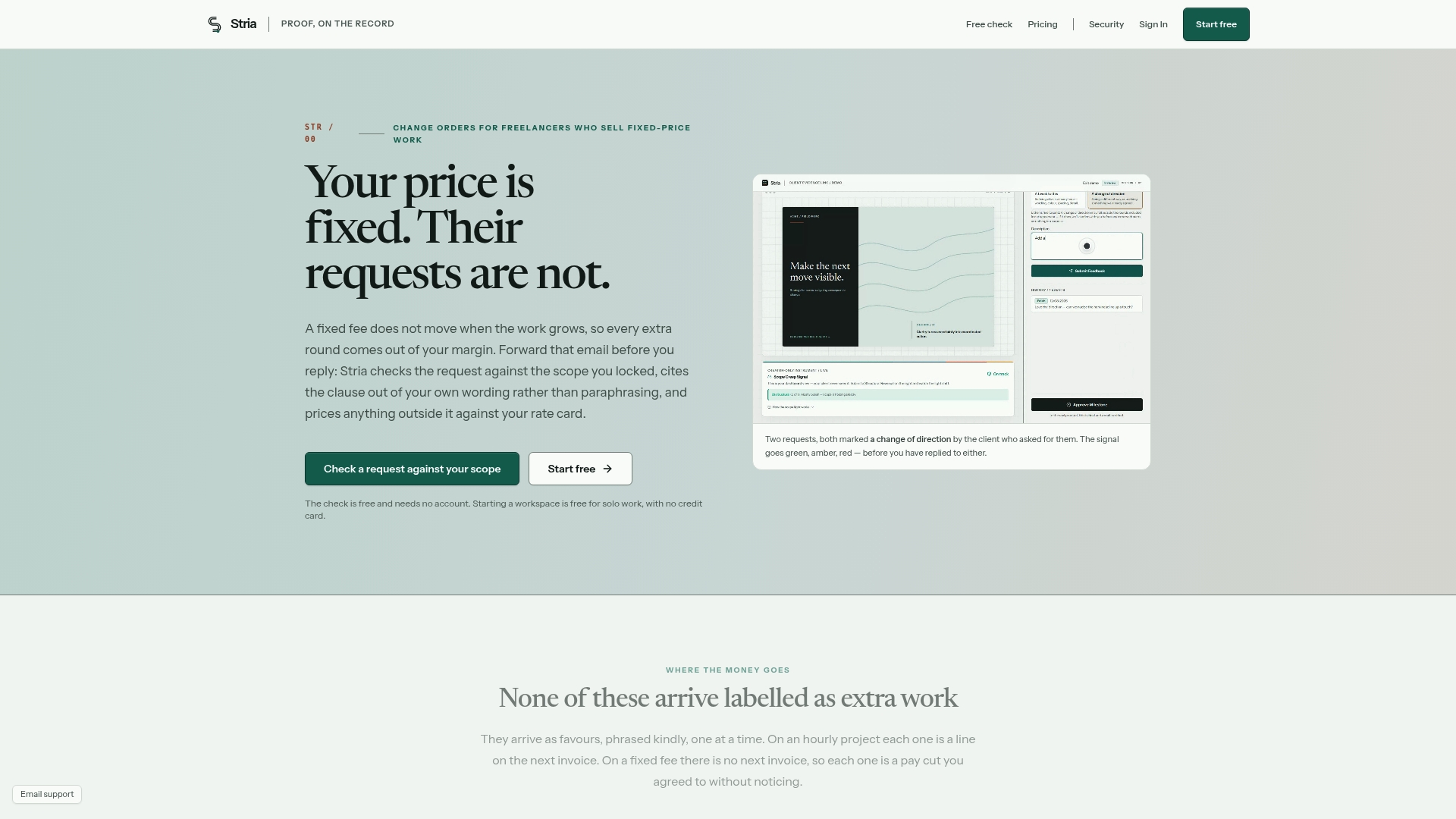
That means the workflow covered in this guide, capture, assess, price, propose, approve, record, close, happens in minutes instead of consuming your evening. The Free plan is a reasonable place to start if you're testing the habit, and the Freelancer Solo plan at $19 per month (or $190 per year) fits a solo creative who wants every change order signed and archived without extra manual steps. Visit the Stria pricing page to compare plans against your client volume and see which tier matches how many change orders you handle in a typical month.
Sources
- Construction Change Orders: Fundamentals, Process & Forms | AIA Contract Documents
- WSDOT Construction bulletin and guidance (2025)
- Caltrans Construction Manual: Change orders
FAQ
What Makes an Audit Trail "Tamper-Evident"?
A tamper-evident record shows visible proof if anyone alters it after the fact, through timestamps, locked exports, and version history rather than an editable file. Tools that generate immutable PDF ledgers with email-verified signatures meet this bar; a plain Word document you can silently edit later does not.
Do I Really Need a Signed Change Order for Small Requests?
Yes, even for small requests, because small unbilled changes are exactly what accumulates into unpaid scope creep over a project's life. The AIA standard requires the same three components (scope, cost, time) regardless of how minor the change feels at the time.
How Often Should I Update My Change Register?
Update it at least weekly, which is the standard the AIA recommends for construction projects and one that translates cleanly to freelance work. Waiting until invoice day to reconstruct weeks of requests is how details get lost and disputes get harder to resolve.
Is a Verbal "Yes" From a Client Enough Approval?
No. Treat a verbal approval strictly as advance notice, then follow up immediately in writing, which mirrors the standard used in state DOT change order guidance. Starting extra work on a verbal "sure" alone leaves you with no evidence if the client later disputes the charge.
What Does Stria Cost for a Solo Freelancer?
Stria offers a Free plan with no published price, plus a Freelancer Solo plan for solo creatives who need full change order automation. Current pricing details for all tiers, including the Freelancer Studio and Freelancer Agency plans, are available on the Stria pricing page.