

The moment a client emails asking for "just one more thing," you're looking at a change request, not a favor. Confirm what they're asking for in writing, open a numbered change order, and don't touch the work until it's priced and signed. On a fixed-price contract, that signature is the difference between getting paid for extra work and doing it for free.
TL;DR:
- Proper change requests must include clear project references, numbered tracking, specific scope changes, impact estimates, pricing details, and authorized approver confirmation.
- Pricing should be based on original unit rates or role-hour estimates, with clear timelines and upfront payment terms to ensure fairness and avoid disputes.
- Written, signed approval from the designated approver is essential before starting any extra work, with verification of authority to prevent costly mistakes.
- Maintaining a detailed change log with signatures and updated SOW versions helps prevent scope creep and strengthens invoicing defenses.
- Automating change request workflows with tools like Stria reduces administrative burden and ensures consistent, traceable compliance with scope management policies.
Table of Contents
- What Every Change Request Email Must Contain
- How Do You Price a Change Request Fairly?
- What Should a Change Request Email Actually Say?
- Who's Actually Allowed to Approve a Change?
- How Do You Track Change Requests Without Losing Your Mind?
- Why Change-Order Discipline Is a Margin Strategy, Not Paperwork
- Stop Chasing Unpaid Extra Work
- Where This Guidance Comes From
- Sources
- FAQ
What Every Change Request Email Must Contain
A vague email doesn't protect you. A change request email sample that actually holds up needs specific fields, not just a friendly summary of what the client wants. Skip a field and you're back to arguing over what "a few tweaks" meant three weeks later.
Here's what belongs in every one you send or log:
- Project and SOW reference. Tie the request to the original agreement by name or contract number.
- Change request number and date. Sequential numbering (CR001, CR002) makes tracking painless later.
- Current state vs. requested change. Describe what the contract says you'll deliver, then what the client is now asking for, in concrete terms with acceptance criteria attached.
- Client justification (optional). Not required, but useful if you ever need to explain the change to a project sponsor.
- Impact summary. How much extra time this adds and which deliverables shift as a result.
- Pricing summary and payment terms. The fee, when it's due, and whether it requires a deposit before you start.
- Start condition. A line stating plainly that work begins only after signed approval.
- Authorized approver. Name, title, and how they need to confirm (signature, reply email, portal click).
Behind the scenes, hang onto the requestor's email address, the original message headers, and any attached files. That metadata is what turns a friendly exchange into an auditable ledger if a client later disputes the invoice.
Pro Tip: Number every request the moment it lands in your inbox, even before you've decided whether it's in scope. An unnumbered request is easy to lose. A numbered one shows up on your invoice.
How Do You Price a Change Request Fairly?
Pricing panic is what turns a five-minute email into a two-day negotiation. The fastest way through it: anchor your number to something you already agreed on.
- Use your original unit rates first. If your SOW quoted per page, per email, or per hour, apply that same rate to the new work. It's the fastest math and the hardest for a client to argue against, since it's their own contract talking back to them.
- Estimate by role and hour when no unit exists. Multiply your hourly rate by realistic hours, add any third-party costs (stock photography, a developer you're subcontracting), then apply your usual markup.
- Offer tiered options. A complete version, a reduced version, and a bare-minimum version give the client room to choose without you having to negotiate down your rate.
- State the timeline hit alongside the price. A change that costs $400 but pushes delivery by a week needs both numbers in the same sentence.
- Set payment terms up front. Deposit before starting, milestone billing, or invoice at the moment of approval. Pick one and say so in the change order.
A quick example: your SOW priced blog posts at $150 each. That's $300 for the new posts and $75 for the rewrite, for a $375 total, tied to the same per-post rate they already accepted. Aligning your math with how the original SOW priced the work makes the number defensible instead of arbitrary. It's also worth building the reply fast: a recommended turnaround for sending a written change order back to the client is 5 business days from the original request. Wait longer and clients start assuming the extra work is already included.
What Should a Change Request Email Actually Say?
You don't need a lawyer's vocabulary to keep this professional. You need a script you can paste in under two minutes, and a request for changes email template that covers the same ground every time.
The short reply script:
- Acknowledge what they're asking for in your own words, so there's no confusion about scope.
- Classify it plainly: "This falls outside our original scope of [X]."
- Either quote a price on the spot for small items, or promise a formal quote within a set number of business days.
The compact template:
- Header: Project name, SOW reference, change request number, date.
- Requested change: What's being added or altered, described specifically.
- Impact: Additional time and additional cost, stated together.
- Approval line: A signature or reply field confirming acceptance before work starts.
For a small tweak (swap one image, adjust a headline), a two-line email covering price and timeline is enough. For anything with a real fee attached, use the full template and require a signed reply. If a client pushes back or tries to escalate over email, don't keep negotiating in your inbox. Offer a fifteen-minute call instead. Voice conversations resolve pricing objections faster than a five-message email thread ever will, and you can follow up afterward with the agreed terms in writing so nothing gets lost. Freelancers who lean on a simple change request form instead of casual verbal agreements report far less scope creep overall.
Pro Tip: Keep a folder of two or three pre-written scripts: one for tiny tweaks, one for mid-size additions, one for full-blown scope changes. Editing an existing script takes thirty seconds. Writing one from scratch under deadline pressure never does.

Who's Actually Allowed to Approve a Change?
The most expensive mistake in this whole process isn't underpricing a change. It's doing the work on a "yes" from someone who couldn't actually say yes.
Define the authorized approver in your SOW or change order clause whenever possible, by name and title, not just "the client." Before you start anything, verify that person has budget authority. If a junior contact tells you "go ahead," ask for written delegation from whoever actually controls the budget. Verifying sign-off authority before proceeding is the single most common gap freelancers fall into, and it's an easy one to close with one extra email.
Never start extra work on a verbal yes from someone outside that approval chain. Acceptable verification looks like a signed PDF, a written email from the authorized contact, or a short confirmation call that you log in your notes with the date and what was said.
- Name the approver in the contract, not just "the client team."
- Confirm budget authority before quoting a price.
- Require written approval, not a phone call alone, before starting.
- Log every verbal confirmation with a date and summary, even when a written follow-up is coming.
If a client refuses to sign off but still wants the work moving, propose a partial payment or staged delivery instead of backing down. Document that refusal in writing so you have a record if the disagreement resurfaces later.
Pro Tip: A one-line email that says "Confirming you have authority to approve this $X change" costs you nothing and closes the loophole before it opens.
How Do You Track Change Requests Without Losing Your Mind?
A single missed change order rarely sinks a project. Ten of them, scattered across email threads with no central record, absolutely will.

Keep a master change log with six columns: change number, summary, dollar amount, status (pending, approved, invoiced), approver name, and date. Every accepted change should also bump your SOW to a new version number, so "v2" of the contract reflects reality instead of leaving you juggling the original document plus a pile of side agreements. Store signed PDFs and export your ledger periodically. Hang onto email headers and approval metadata too. That combination of a sequential change number plus stored signatures and headers is what actually gets disputed invoices paid.
This is exactly where manual tracking breaks down for solo freelancers and small teams. A tool can check incoming change requests against your locked scope automatically, price them against your own rate card, generate a signed change order, and store the tamper-evident record without you rebuilding a spreadsheet every time a client emails.
| What you need to track | Why it matters |
|---|---|
| Sequential change number | Makes referencing and invoicing painless |
| Amount and payment status | Shows what's owed and what's collected |
| Approver name and date | Proves who authorized the spend |
| Signed PDF or email confirmation | Your evidence if a client disputes the charge |
| SOW version number | Keeps the contract current instead of fragmented |
Why Change-Order Discipline Is a Margin Strategy, Not Paperwork
Most freelancers treat change orders as an annoying formality that slows down a friendly client relationship. That's backward. The paperwork is what lets the relationship stay friendly, because nobody's quietly resentful about unpaid extra hours six weeks later.
The freelancers who protect their margins aren't the ones who negotiate the hardest. They're the ones who make written, priced, signed approval the default before any extra work starts, every single time, without exception. Automated verification against a locked scope removes the guesswork and the awkward "was this actually extra?" conversation entirely, which saves far more goodwill than it costs in friction.
— Team Stria
Stop Chasing Unpaid Extra Work
Every process in this guide, the checklist, the pricing math, the scripts, the approval verification, is manual work Stria automates in the background. Forward a client's email, and Stria checks it against your locked scope, flags what falls outside the original agreement, prices it against your own rate card, and generates a signed change order ready for an email-verified signature.
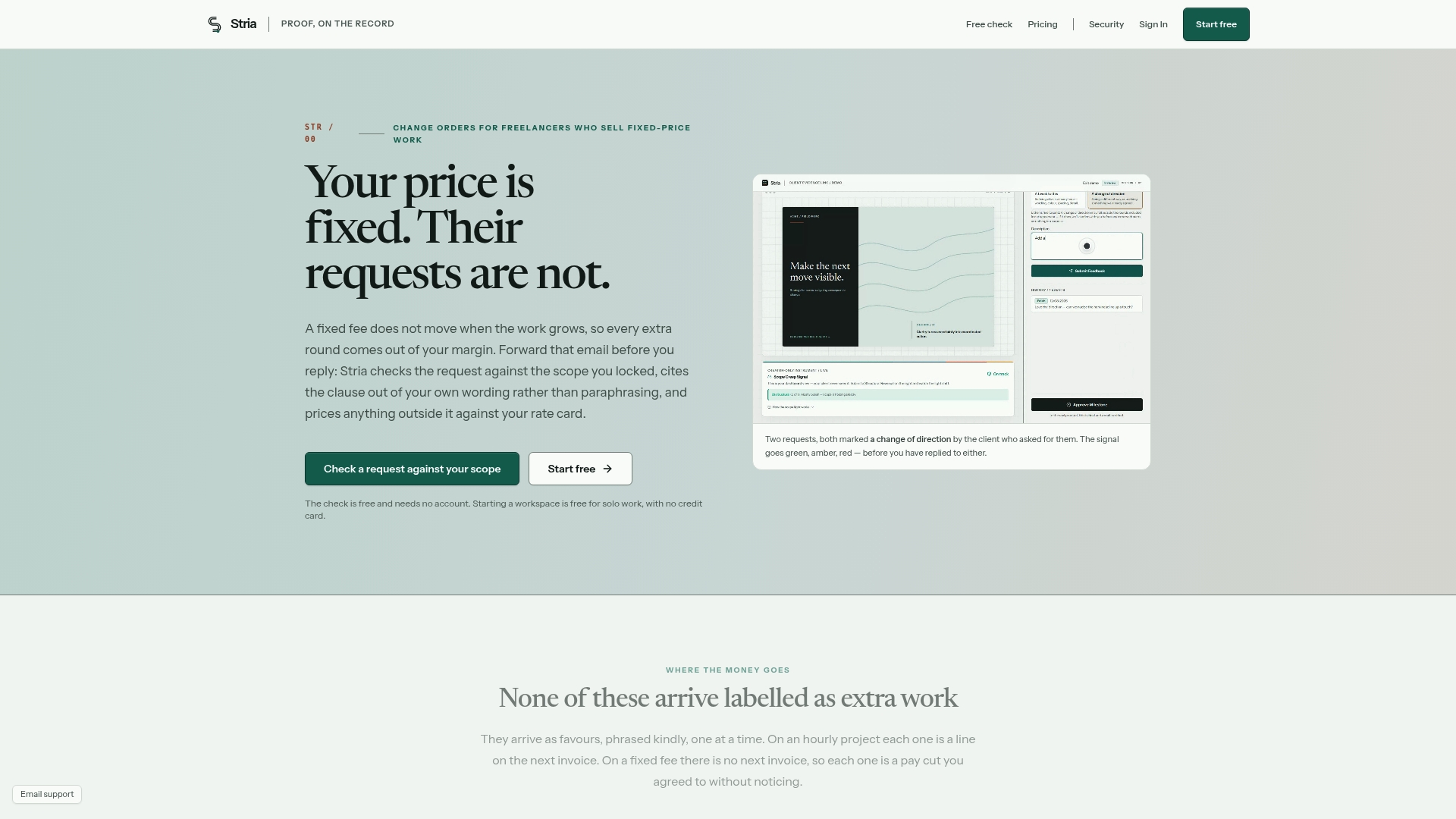
For freelancers juggling several fixed-price clients at once, that means no more spreadsheet-hunting for who approved what, and no more absorbing "small" requests that quietly add up to hours of unpaid work. Stria's Free plan lets you try the workflow before committing to anything, and the Freelancer Solo plan runs $19 per month if you want full change-order automation without hiring an assistant to chase signatures. Check the pricing page and see which tier matches how many clients you're running right now.
Where This Guidance Comes From
This process draws on fixed-price contract guidance from PMI, scope-change practices from ASCE, and change-order templates from ReviewMyContract and Rework.
Sources
- The special challenges of project management under fixed-price contracts | PMI
- Claim reduction: addressing changes in scope, schedule and budget | ASCE
- Scope of Work Clause Guide: Landmark Cases, 15-State Comparison & Templates (2026) | ReviewMyContract
- Change Order Process: Managing Scope and Budget Modifications in Professional Services | Rework
FAQ
What is a change request email?
It's any client message asking for added or altered deliverables on a project already under contract. On a fixed-price job, it needs to be logged, priced, and formally approved before you do the extra work.
Do I need a signed change order for a tiny fix?
Even small changes benefit from a quick written confirmation, though you can skip the full formal template for something trivial. For anything with a real fee or timeline impact attached, get written, signed approval before starting.
What if the client refuses to sign off?
Propose partial payment or staged delivery instead of proceeding on trust, and document the refusal in writing. This protects you if the client later claims the work was included in the original scope.
How do I track multiple change requests on one project?
Keep a master change log with a sequential number, amount, status, approver, and date for every request. Tools like Stria automate this by generating and storing signed change orders automatically as requests come in.
Who is allowed to approve a change request?
Only the person named in your SOW or contract as the authorized approver, verified to have actual budget authority. Never proceed on a verbal yes from someone outside that approval chain, since verifying sign-off authority is what prevents disputed invoices later.