

A rate card is a one-page pricing menu you hand a client before a project starts: your services, your units, your prices, and the terms that protect you. Most freelancers do best with a simple packages-plus-add-ons format they can send as a PDF in thirty seconds. Below are three copy-ready examples you can adapt today, plus the exact template and pricing logic behind them.
TL;DR:
- A well-designed rate card should include clear units like word counts or video lengths, not vague descriptors or follow-up explanations.
- Pricing should be based on actual expenses and realistic billable hours, with fixed prices for standard deliverables and "from" prices for scopes that can vary.
- Additional fees for usage rights, exclusivity, rush delivery, or extended licensing must be listed separately on the rate card with specific details.
- Regular updates, accurate scope definitions, and written approval protocols are essential to prevent scope creep and ensure payment security.
- Using tools like Stria automates scope verification and change order management, helping freelancers secure and track payments for out-of-scope work.
Table of Contents
- Three Rate Card Examples You Can Copy Right Now
- What Every Send-Ready Rate Card Needs
- How to Calculate a Price You Can Actually Defend
- Usage Rights, Exclusivity, and Add-Ons Belong on Their Own Line
- Send It Right and Keep It Current
- Why Your Rate Card Is Only Half the Battle
- A Rate Card Sets the Price. Stria Makes Sure You Get Paid It.
- Sources
- FAQ
Three Rate Card Examples You Can Copy Right Now
The right format depends on how you sell your work. Here are three real structures, built for three different business models.
1. À la carte: pay by the deliverable
This works best if you do one-off jobs with no consistent bundle. List each deliverable as its own line item, with a clear unit definition so nobody argues about what "a post" means later.
- Instagram feed post (single image, includes 1 revision): $150
- Instagram Reel (up to 30 seconds, includes concept + edit): $300
- UGC video clip (raw, unedited, 15 to 60 seconds): $200
- Blog post (800 to 1,200 words, includes 1 round of edits): $250
2. The three-tier bundle
Copywriters, designers, and marketers tend to do better with packages because clients like comparing options instead of pricing every task from scratch. Boring Studios documents a version of this that separates deliverables, turnaround, and revisions clearly for each package structure:
- Starter: 2 landing page copy blocks, 5 business day turnaround, 1 revision round, from $600
- Professional: 5-page website copy, 10 business day turnaround, 2 revision rounds, from $1,800
- Premium: Full site copy + brand voice guide, 3 week turnaround, 3 revision rounds, from $3,500
3. UGC and content-only menu
Content creators need to separate what they make from what a brand does with it. This is where most creators leave money on the table.
- Content creation only (no posting): 30 second UGC video, $250
- Raw footage add-on (unedited files, brand edits themselves): +$100
- Usage-only license (brand runs it as an ad, no organic posting): priced separately, see licensing section below
- Full package (creation + 3 month usage rights): $500
What Every Send-Ready Rate Card Needs
A rate card only works if a client can scan it in under a minute and know exactly what they're buying. Sprout Social's guidance on rate card structure points to the same core fields showing up on every effective one:
- Header: your name, your niche, contact info, currency, and "Updated: [Month Year]" so nobody negotiates off a stale price
- Packages table: package name, deliverables (spelled out in specific units, not vague descriptions), turnaround time, number of revisions, and price (use "from $" if the scope can shift)
- Custom rates and add-ons: a short table of service, unit, and rate for anything outside the packages
- Terms block: deposit percentage, payment timing, how long the quote is valid, and what's excluded
- Creator metrics (optional, for influencer or UGC cards): follower counts, engagement rate, platform list
Don't put vague units anywhere on this document. Word counts, video lengths, aspect ratios, number of concepts, and whether source files are included all belong on the card itself, not in a follow-up email after the client already agreed to a number.
How to Calculate a Price You Can Actually Defend
Guessing a number because it "feels right" is how freelancers end up underpaid for two years before they notice. Upwork's rate-setting framework lays out a defensible method: add up your business expenses and desired income, then divide by your realistic billable hours after accounting for admin time, sales calls, and slow weeks. That gives you a base hourly floor. From there, convert to a fixed price by estimating hours per deliverable and building in a margin for revisions and scope buffer.

Once you have that floor, decide when to show an exact number versus "starting at." Use an exact price when the deliverable is fully standardized (a single Reel, a one-page landing copy block). Use "from $" when scope could reasonably expand, and pair it with a qualifier like: "Final price depends on revision count and usage rights requested."
Benchmarks help you sanity-check your floor, but they shouldn't set it. Superdeal's data on UGC pricing shows wide variation by deliverable complexity, and CreatorIQ's research confirms that platform, engagement, and campaign scope move the number more than raw follower count does.
| Deliverable type | Typical range | What moves the price |
|---|---|---|
| UGC video (30 to 60 seconds, no usage rights) | Varies widely by niche and editing complexity | Editing time, number of concepts, revisions |
| Feed post with paid usage rights | Base rate plus a usage add-on | Usage duration, channel, exclusivity |
| Full package (creation + usage + whitelisting) | Base rate multiplied for added rights | All of the above, plus exclusivity |
Pro Tip: Rush requests, exclusivity clauses, and paid usage rights are each separate multipliers on your base price, not reasons to round up a single number and hope it covers everything.
Usage Rights, Exclusivity, and Add-Ons Belong on Their Own Line
Base creation fees cover the work of making something. They don't automatically cover a brand running your content as a paid ad for six months, or agreeing not to work with a competitor for a quarter. CreatorIQ's guidance on compensation structure is blunt about this: usage, licensing, and exclusivity should stay out of the base price unless you deliberately bundle them in.
- Usage rights (paid media): flat fee or 25 to 50% increase over base creation, scaled by duration and channel
- Whitelisting (brand runs ads through your account): typically priced higher than standard usage since it uses your audience data
- Exclusivity (you can't work with competitors for a period): flat fee tied to the length of the restriction
- Rush delivery: 20 to 30% surcharge on the base rate
List duration, channels, and geography for each license directly on the card, not buried in a contract clause the client never reads before agreeing. And before any add-on work starts, quote it and get written approval. That single habit prevents most of the "wait, I thought that was included" conversations.
Send It Right and Keep It Current
- Send a PDF for cold outreach and first pitches. A live Notion or hosted page works better once you're in active negotiation and iterating on custom pricing.
- Put "Updated: [Month Year]" and your currency on every version so nobody quotes you last year's rates.
- State plainly whether prices exclude tax.
- Keep two versions: a stripped outreach card with just your starter tier, and a master version with full add-on pricing for serious conversations.
- Attach a two-line pitch email restating the package that fits the client's stated need, not a generic "here's my rate card" drop.
Why Your Rate Card Is Only Half the Battle
A rate card sets the price. It doesn't stop a client from asking for "just one more small thing" three weeks into a fixed-price project, and that's where a lot of freelancers quietly lose the margin they priced in. The fix isn't a better spreadsheet. It's a habit: document what's actually in scope, and require written approval before anything outside it gets touched. Tools that automatically flag out-of-scope requests against your original agreement, like Stria, turn that habit into something you don't have to remember to do manually every single time.
— Garrett
A Rate Card Sets the Price. Stria Makes Sure You Get Paid It.
Your rate card only protects you if every out-of-scope request actually gets priced and approved before you do the work. Most freelancers catch scope creep after the fact, if they catch it at all. Stria automates the check: forward a client email or message, and it compares the request against your locked scope, flags anything extra, prices it using your own rate card, and generates a signed change order with an email-verified approval.
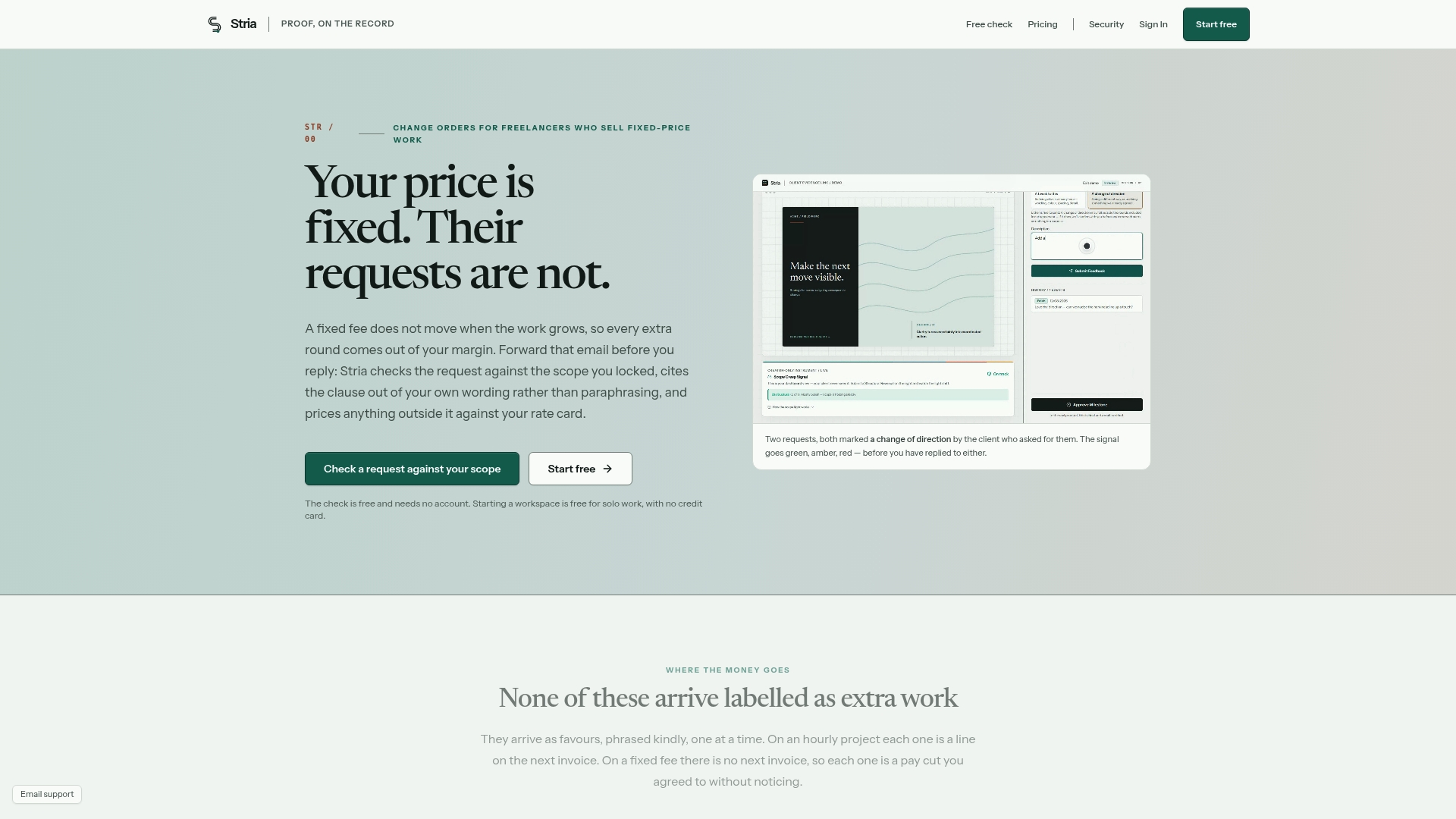
That means the packages and add-on pricing you just built stop being theoretical the moment a client asks for "one more revision" outside what you quoted. Every agreement and change order gets stored as a tamper-evident record, so there's no dispute later about what was approved and at what price. Plans start with a free version for solo use, and the Freelancer Solo plan runs $19 a month if you want expanded scope tracking. Check the current plans and see which fits your workload.
Sources
- How To Set Freelance Rates and Project Pricing in 2026 - Upwork
- How to compensate influencers - CreatorIQ
- Influencer rate card template and benchmarks - Superdeal
- Influencer rate card: send-ready template - Sprout Social
FAQ
What Is a Rate Card?
A rate card is a client-facing pricing document that lists your services or deliverables, the unit each is priced by, and the price itself, often alongside packages and terms. It's a pricing menu, not a contract. The signed agreement that follows should separately define scope, payment schedule, and ownership or licensing terms.
What Are the Different Types of Rate Cards?
The three most common formats are à la carte (priced per individual deliverable), tiered packages (Starter, Professional, Premium style bundles), and content-only menus that separate creation from usage rights. Most freelancers pick one based on whether clients typically want a single task or a full bundle of work.
What Is the Purpose of a Rate Card?
A rate card sets pricing expectations upfront, so you're not negotiating from scratch on every project. It also creates a clear record of what a price includes, which makes it much harder for a project to quietly expand into unpaid extra work.
What Is a Rate Card for an Influencer?
An influencer or creator rate card lists content deliverables (posts, Reels, UGC clips) with pricing that's separate from usage rights, whitelisting, and exclusivity fees. CreatorIQ's research notes that platform, engagement, and campaign scope matter more to fair pricing than follower count alone, so a strong creator rate card reflects that instead of pricing purely off audience size.